
Walking, not serving
Every order means a trip to the counter and back. On a full evening that is most of the shift spent crossing the floor.
Fixed. The order, the bill and the payment all happen at the table.
RPOS Captain puts table service on one phone. Waiters take the order at the table, raise the bill, and confirm payment where the guest is sitting — not at a terminal across the room.
None of them are the staff's fault. They are what happens when the only place to enter an order is a machine at the counter.
Every order means a trip to the counter and back. On a full evening that is most of the shift spent crossing the floor.
Fixed. The order, the bill and the payment all happen at the table.
One mis-tapped item and somebody is in the kitchen apologising to the chef while the guest waits.
Fixed. Sixty seconds to pull the order back and edit it before the kitchen sees it.
The Wi-Fi drops for a second, the phone locks, the shift ends — and an order nobody remembers taking never reaches the kitchen.
Fixed. A confirmed order still reaches the kitchen through all four of those.
A guest says cash, pays by UPI, and nobody corrects it. The day's figures drift and the difference is found a week later.
Fixed. Reception verifies every payment and can correct the method before the table closes.
Sixteen things your staff can do without leaving the guest's table. Search to find one.
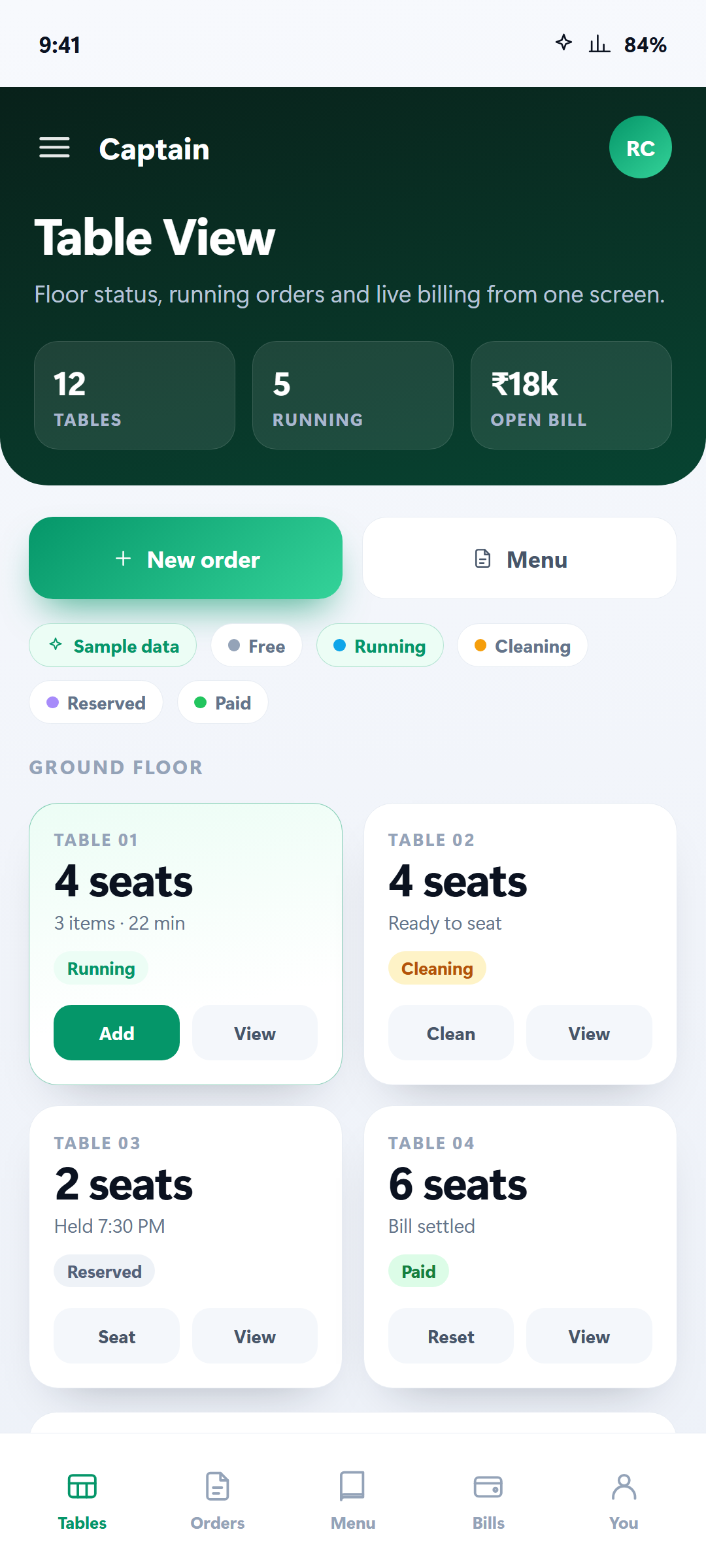
Every floor and area at a glance. Tables read free, occupied, ready to serve, awaiting payment, cleaning or blocked — so staff know where to go next without asking anyone.
Browse the live menu by category with current prices. The screen reads in English, हिंदी, ગુજરાતી, मराठी, தமிழ், తెలుగు, ಕನ್ನಡ, മലയാളം, বাংলা and ਪੰਜਾਬੀ.
Confirmed the wrong item or quantity? Pull the order back and edit it within a minute, before it reaches the kitchen. Nobody has to chase the chef.
Phone locked, app in the background, shift ended in a sign-out, Wi-Fi dropped — a confirmed order still reaches the kitchen. A guest never waits on an order that vanished.
Guests keep ordering after the bill is raised. Everything stays on one growing tab and is paid once at the end, with every line item, quantity and total on screen.
Show the restaurant's UPI QR code where the guest is sitting, or take cash. No walk to the counter to settle a bill.
Reception confirms each payment before the table closes, and can correct the method if a guest said cash but paid by UPI — so daily closing totals stay accurate.
Check the day's table reservations, with guests still expected listed ahead of those who have already left.
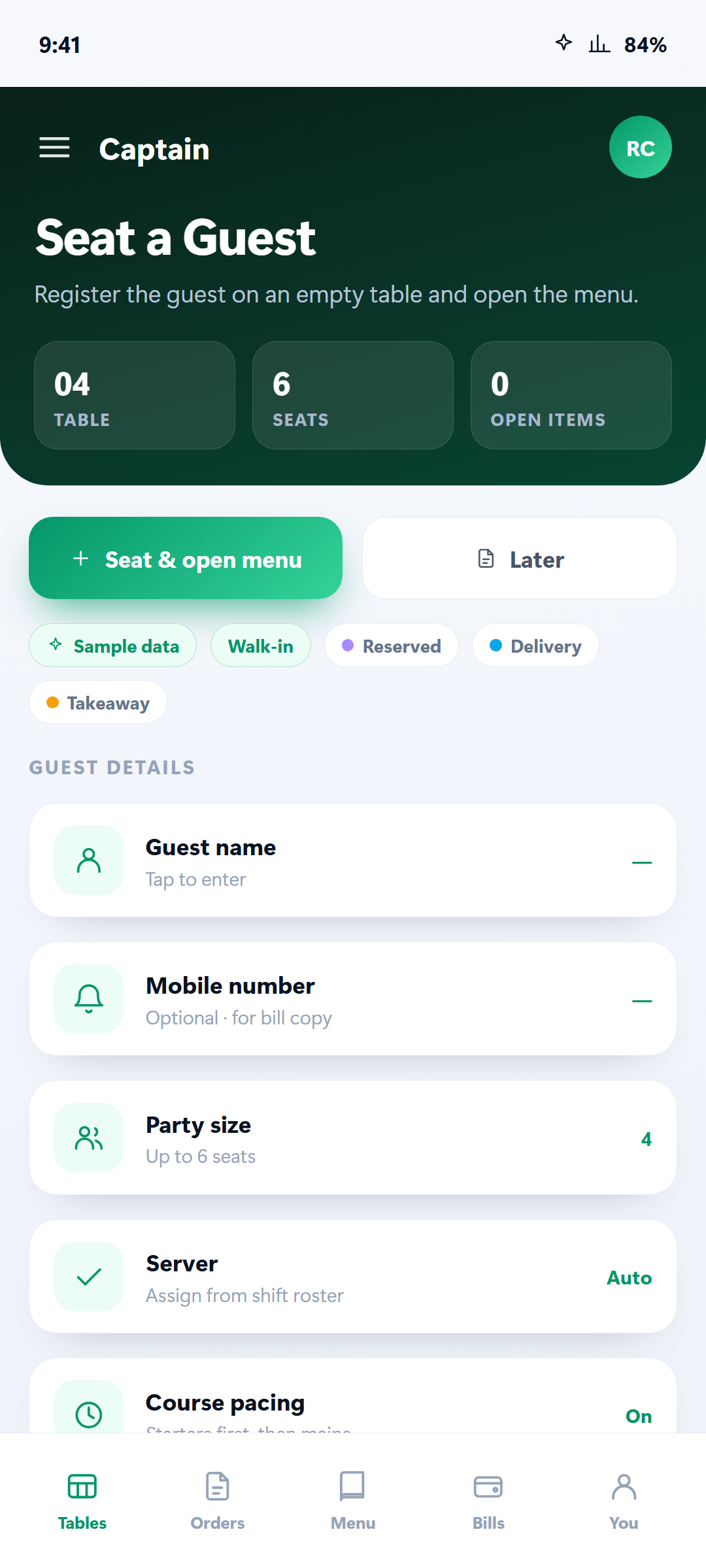
Assign the guest to a table and the session opens right away, so you can order for them immediately. Company name and GSTIN are there when the bill needs them.
Shift guests to another table and their whole session goes with them — orders, bill and payments. Nothing is re-entered.
Mark a table for cleaning, block it while a leg is being fixed, or clear its status — all from the floor plan.
Each staff member sees only what Access Control granted them. Owners get everything; a waiter can be limited to taking orders without touching payment verification.
Open the live menu without starting an order, when a guest asks what is available today and at what price.
A table asks for the same round again. One tap sends it, instead of rebuilding the order item by item.
Sign in with your restaurant's tenant code and every table, order and payment stays in step with what the management team sees on the web.
Close the session once the bill is settled, and the table returns to the floor plan ready for the next party.
Nothing matched that. Try table, bill, UPI or language.
The ordering screen reads in ten. Nobody has to learn a menu in a second language before their first shift.
Free from Google Play, on any Android 7.0 or newer device. No extra hardware to buy.
Your restaurant administrator gives each person their tenant code and staff login. That is what ties the phone to your restaurant.
Every floor, area and table appears with its live status. Nothing to set up in the app — it reads what the web platform already knows.
Register the guest, the session opens, the menu opens with it. Confirm the order and it goes to the kitchen.
Show the UPI QR or take cash at the table. Reception verifies it, and the table closes clean.
Screenshots from the shipped app, not mock-ups.
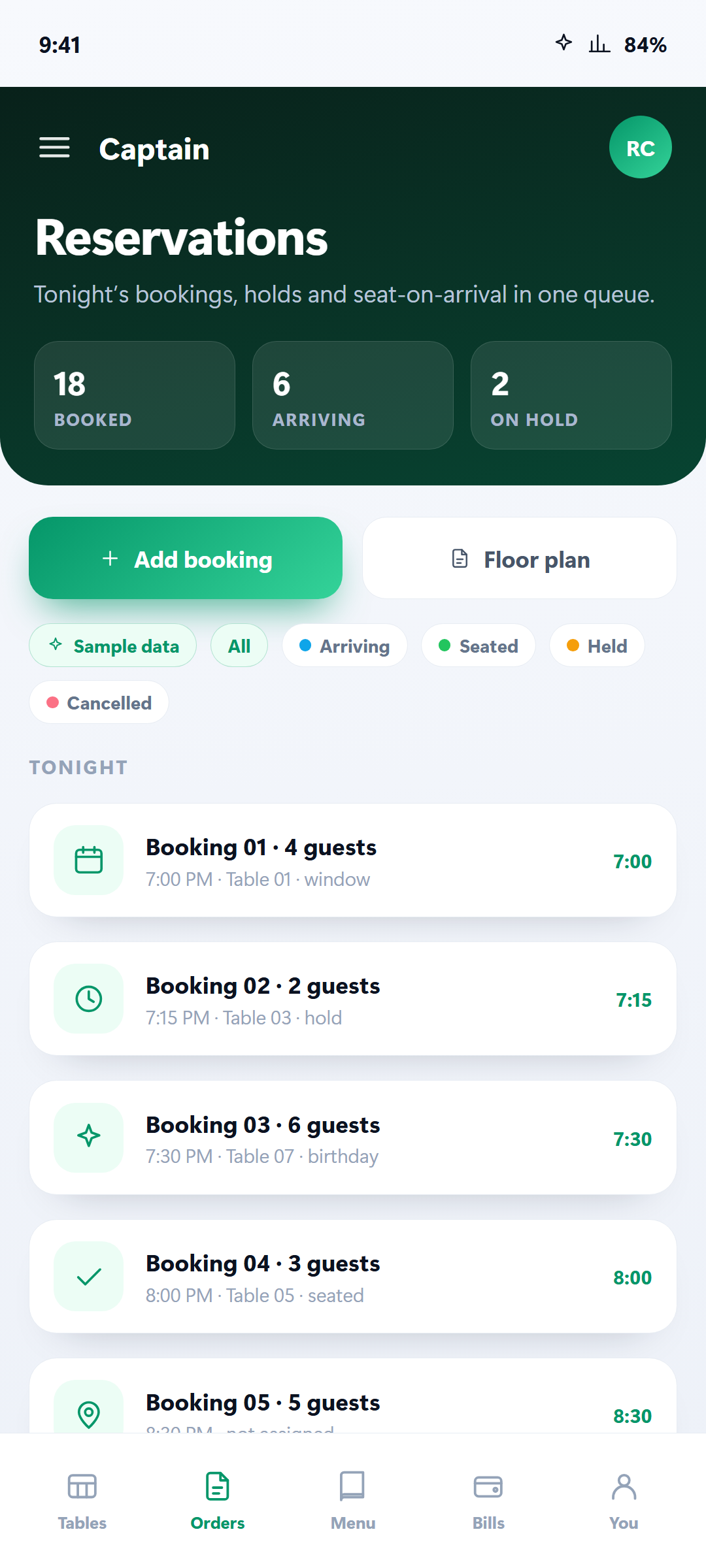
Manage tables, quick orders and live billing from one screen. Statuses tell staff where to go next.
A restaurant's Wi-Fi is a shared network. Everything below is in the shipped app, not on a roadmap.
Free to install. Ask your restaurant administrator for the tenant code, and your floor can be running on it tonight.